
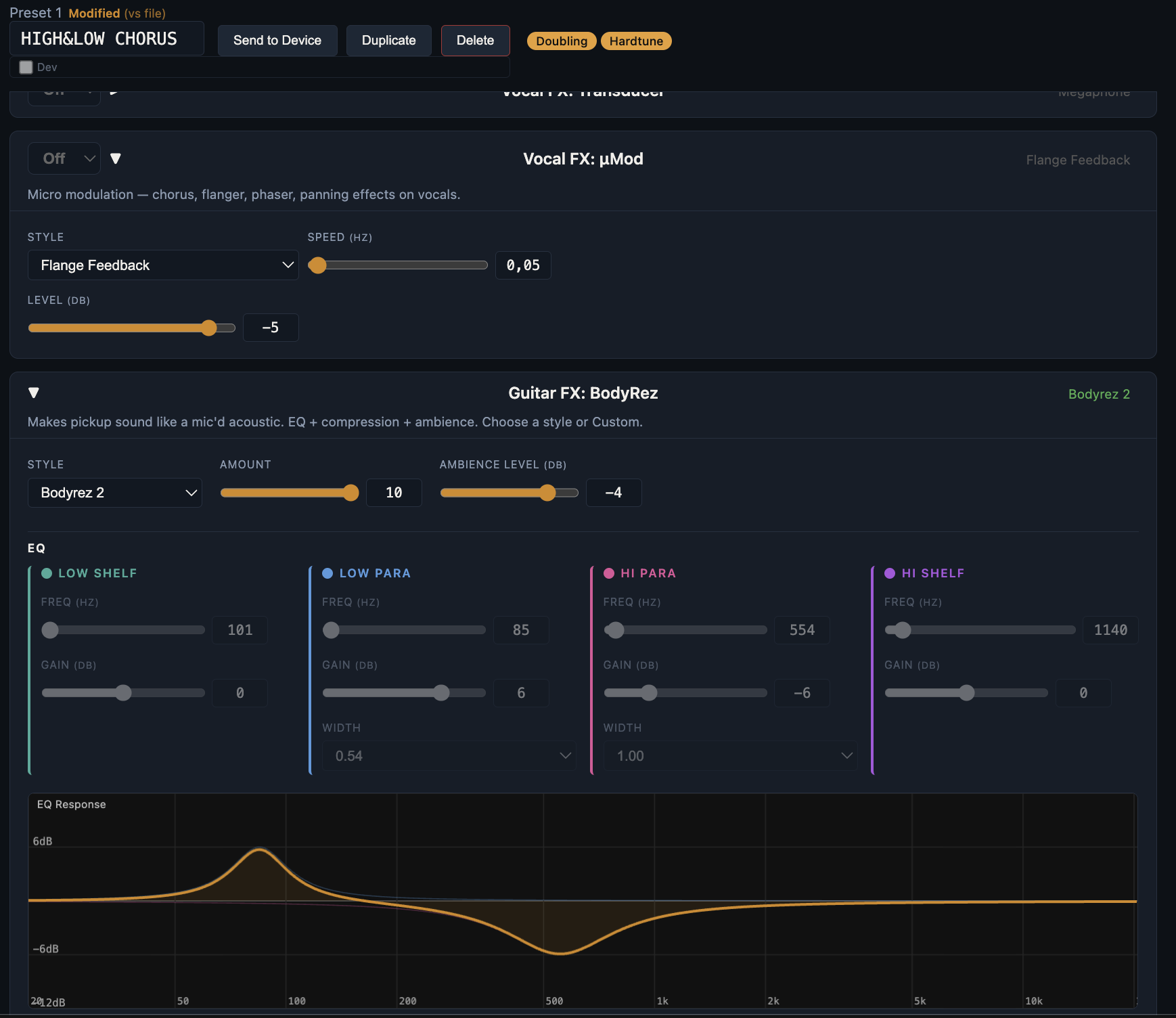
Preset Editor
Load and edit presets for your TC Helicon Play Acoustic or Play Electric. Open preset files, download directly from your device, or browse the built-in preset pack libraries.
Adjust every parameter — harmony, delay, reverb, guitar FX, BodyRez — with clear labels and value ranges. Clone presets to create variations, or duplicate and tweak without losing the original. Push individual presets to the device for quick testing, or send the full preset list when you're ready. Global settings like pitch correction, mixer levels, and guitar EQ are saved alongside presets in a single file — useful for storing venue or equipment-specific configurations so you can quickly load the right setup for each stage.
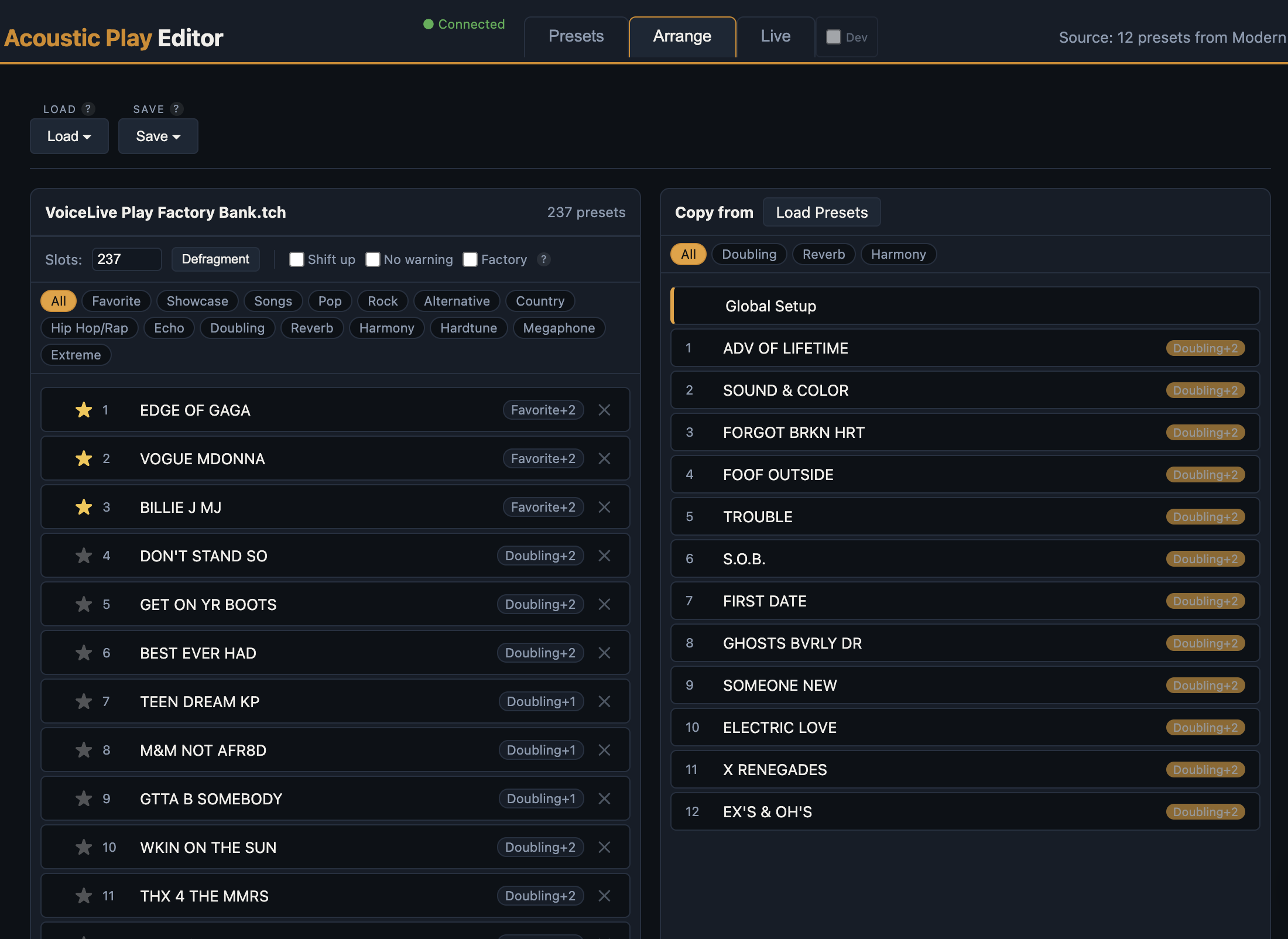
Arrange
Organize your presets into the order you want. Drag and drop to reorder, duplicate presets, or import from other preset files. Delete unused slots and defragment to keep things tidy. Load and save directly from this view — no need to switch tabs. Perfect for preparing your preset bank before a gig.
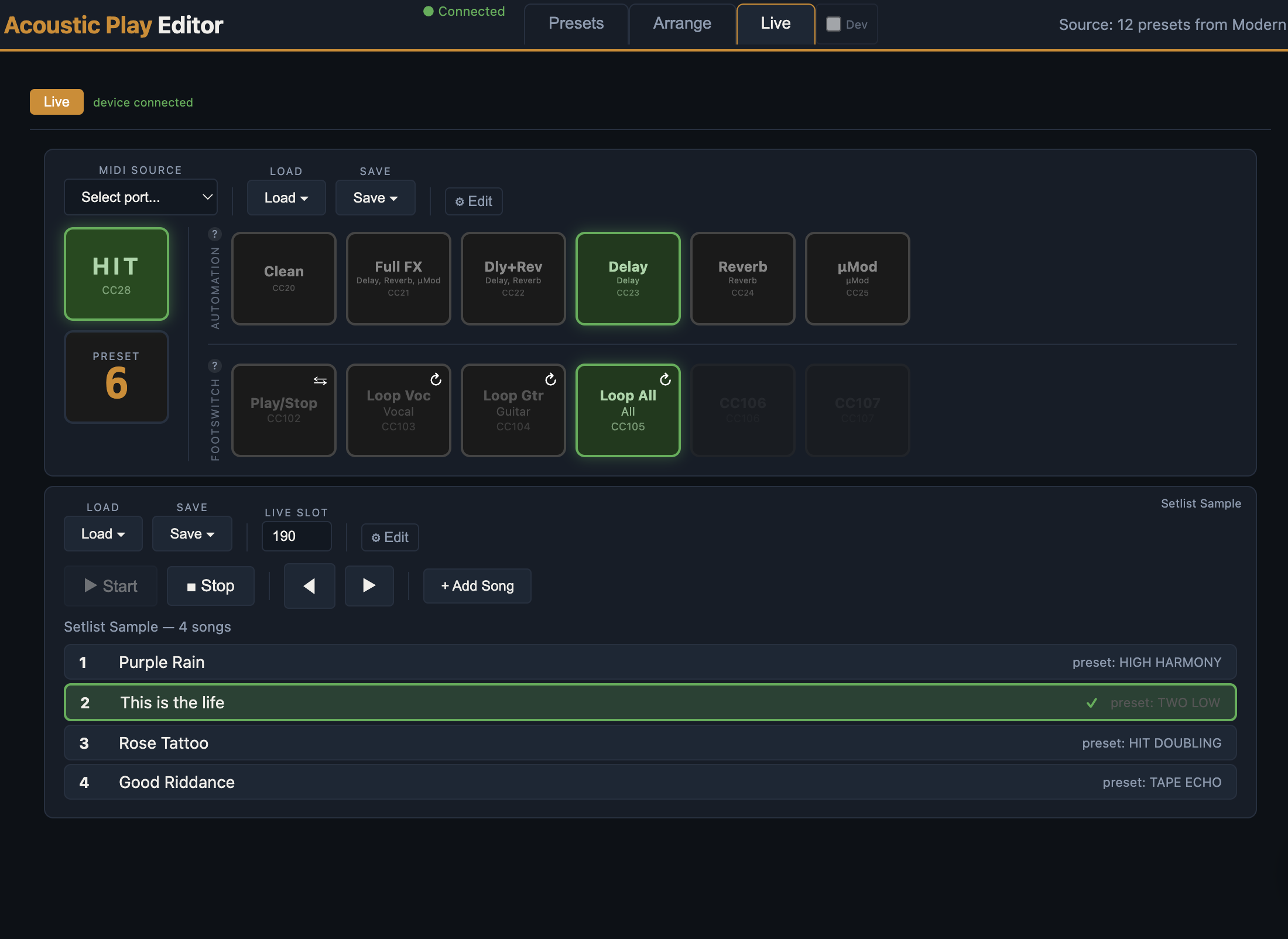
Live Automation
Control your device in real time during performance. Set up FX presets that toggle effects like delay, reverb, and µMod with a single click — or automate them via MIDI. Fully automate preset selection, HIT toggles, and pre-defined guitar effect combinations from applications like Stage Traxx, OnSong, or any MIDI-capable app. Trigger changes per song or within a song for hands-free control throughout your set.
Visual indicators show the current active preset, HIT state, and effect status at a glance so you always know where you are. Monitor footswitch activity and switch between songs in your setlist — each song sends its preset to the device when selected. Save your live configuration separately from your setlist so you can mix and match for different shows.
Latest Posts
-
Getting Started — Automate Song Changes and HIT with Stage Traxx
This guide walks you through setting up Stage Traxx to automatically change presets and toggle harmonies on your TC Helicon Play Acoustic — using the built-in Sample Setlist that comes with the editor.